Spec Kit Extension Override 분석
몇 달간 바이브 코딩이 인기를 끌고 있고, 성공 사례와 실패 사례가 종종 유튜브나 블로그에 소개되고 있죠. 반면 그렇게 제작된 프로젝트가 어떻게 운영되고 있는지는 거의 소개되고 있지 않습니다.
만약 바이브 코딩이 답이라면 이미 한국에는 많은 서비스가 론칭이 되고, 이미 존재하는 스타트업 서비스를 위협해야 하는데, 그런 소식은 잘 들리지 않습니다. 그것이 영업이나 마케팅 문제일 수도 있습니다.
전 바이브 코딩을 이용해서 프로젝트를 완성할 수는 있지만, 운영할 수는 없다는 사실을 알게 되었는데요, 그것은 AI가 바보라서가 아니라 Context Memory 에 한계가 있기 때문이고, 그 메모리는 미래에 가도 해결되지 않는다는 사실도 알게 되었습니다.
따라서, 몇가지 제약을 markdown으로 만들고, 절차를 만들어서 프로젝트 제작과 운영에 사용하고 있는데요, 그것이 바로 REPL Works라고 하는 AI-Native 개발방법론입니다.
그와 비슷한 시기에 Github에서는 SDD(Spec Driven Development)를 구현할 수 있는 Spec Kit이라는 것을 오픈소스로 출시했습니다.
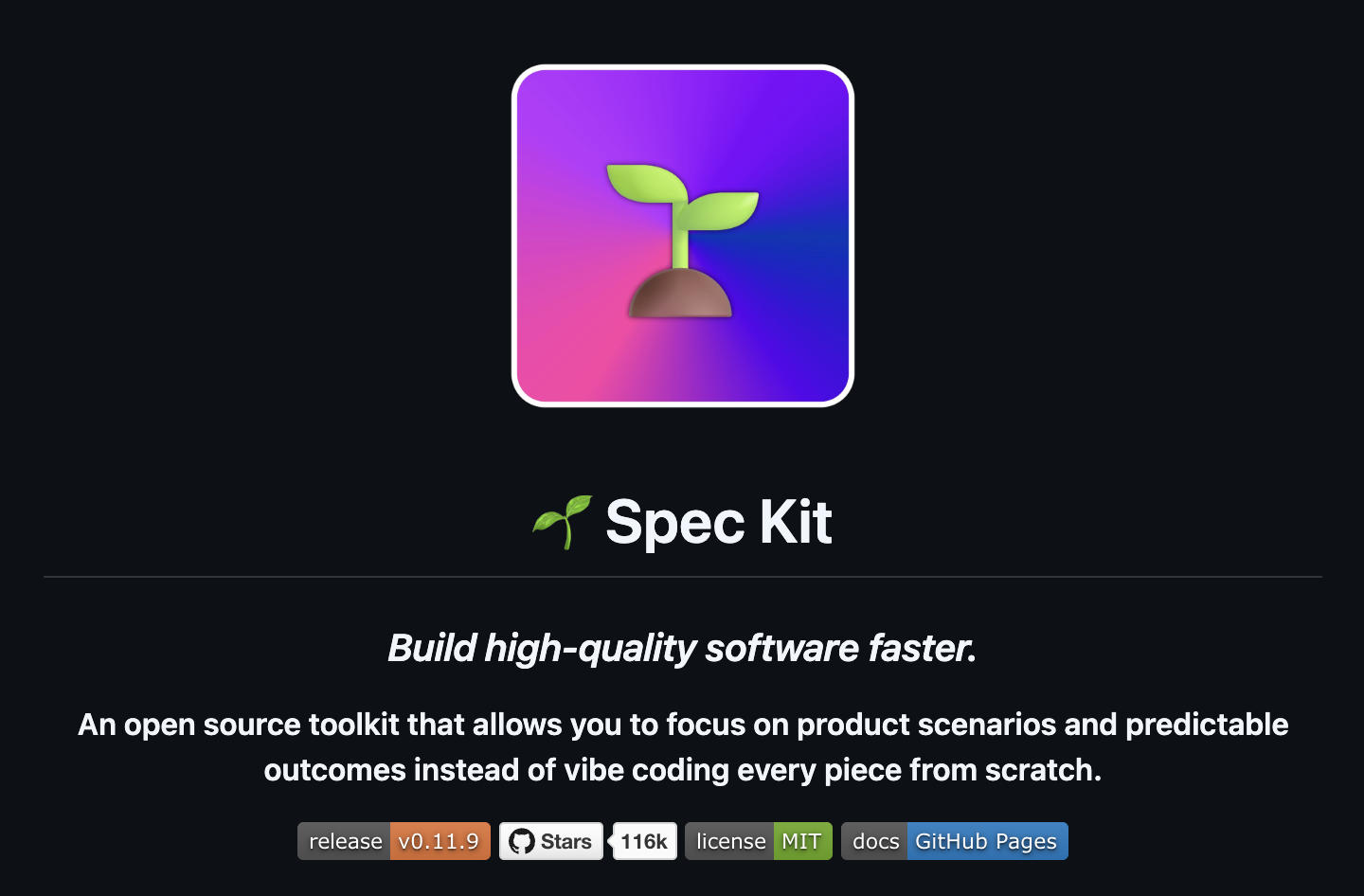
An open source toolkit that allows you to focus on product scenarios and predictable outcomes instead of vibe coding every piece from scratch.
바이브 코딩을 정면으로 대치하는 오픈소스 툴킷이라고 자신을 소개하고 있습니다. 그리고 현재 Github Star가 11만 6천개에 달하고 있네요.
1인 개발자 혹은 소규모 AI-Native 개발환경을 운영하는 곳이라면 이미 나만의 개발 워크플로가 있을텐데요, Spec Kit에 나만의 워크플로를 넣을 수 있는 강력한 기능인 Spec Kit Extension 에 대한 소스코드를 분석한 내용을 공유합니다.(이 내용은 아쉽게도 아직 공식 메뉴얼에는 나오지 않습니다.)
Spec Kit Extension이 내장 Command 프롬프트를 대체할 수 있는가?
1. 아키텍처 개요
이번 분석과 관련하여 Spec Kit은 서로 구분되는 세 가지 계층으로 구성되어 있다.
| 계층 | 위치 | 관리 주체 |
|---|---|---|
| Core Command Templates | templates/commands/*.md (원본) → .specify/templates/commands/*.md (프로젝트) |
shared_infra.py를 통한 specify init |
| Agent Command Files | .claude/skills/speckit-*/SKILL.md, .gemini/commands/speckit.*.toml 등 |
integrations/base.py의 setup() 및 agents.py의 register_commands() |
| Extension Hooks | .specify/extensions.yml |
extensions/__init__.py의 HookExecutor |
/speckit.specify, /speckit.plan, /speckit.tasks는 Python 객체가 아니다.
이들은 디스크에 기록되는 Markdown/TOML/YAML 파일이며, AI 에이전트는 이 파일들을 직접 읽어 자신의 프롬프트로 사용한다.
2. Command Resolution Flow
2.1 Command는 어디에서 등록되는가?
출처: src/specify_cli/agents.py
CommandRegistrar.register_commands()는 실제로 Command 파일을 디스크에 생성하는 유일한 함수이다.
동작 과정은 다음과 같다.
source_dir에서.md템플릿을 읽는다.- Frontmatter를 파싱한다.
- 인자 플레이스홀더를 변환한다.
- 예:
$ARGUMENTS - Gemini용: ``
- 예:
- 결과를 Agent별 Command 디렉터리에 기록한다.
내장 Command는 specify init 실행 시 다음 흐름을 통해 생성된다.
specify init
  → commands/init.py: register()
    → resolved_integration.setup(...)
      → IntegrationBase.setup()
        → CommandRegistrar.register_commands()
          → .claude/skills/speckit-specify/SKILL.md 생성
          → .gemini/commands/speckit.specify.toml 생성
          → ...
템플릿은 다음 우선순위로 로드된다.
core_pack/commands/templates/commands/
2.2 Command 이름은 어디에서 검증되는가?
extensions/__init__.py
CORE_COMMAND_NAMES = frozenset({
    'analyze',
    'checklist',
    'clarify',
    'constitution',
    'converge',
    'implement',
    'plan',
    'specify',
    'tasks',
    'taskstoissues'
})
Extension Command는 다음 정규식을 반드시 만족해야 한다.
speckit.<extension-id>.<command-name>
2.3 Command Lookup 우선순위
Python에는 런타임 Command Dispatcher가 존재하지 않는다.
AI Agent가 자신의 Command 디렉터리에서 파일을 직접 찾는다.
따라서
- Override Priority
- Dispatch Table
- Runtime Lookup
모두 존재하지 않는다.
같은 위치에 마지막으로 기록된 파일이 사용된다.
3. Extension 시스템이 할 수 있는 것과 할 수 없는 것
3.1 Extension Command Namespace 제약
Extension은 자신의 ID를 Namespace로 사용해야 한다.
예를 들어
id: replworks
이면
speckit.replworks.*
만 사용할 수 있다.
다음은 허용되지 않는다.
speckit.specify.*
왜냐하면 specify는 이미 Core Namespace이기 때문이다.
예시
| Command | 가능 여부 |
|---|---|
speckit.replworks.specify |
✅ 가능 |
speckit.specify.anything |
❌ 불가능 |
speckit.specify |
❌ 불가능 |
3.2 Extension 간 Command 충돌
Extension 설치 시에는
- 다른 Extension Command와의 충돌
만 검사한다.
Core Command와의 충돌은 별도의 Namespace 검증 단계에서 차단된다.
3.3 Hook 시스템
Hook은
.specify/extensions.yml
에 저장된다.
예를 들어
hooks:
  before_specify:
는
templates/commands/specify.md
안에서 AI가 직접 읽는다.
즉,
Hook은
Python이 실행하는 것이 아니라
AI Prompt 안에 자연어 지시문을 삽입하는 방식이다.
지원되는 Hook
| Command | Before | After |
|---|---|---|
| specify | before_specify | after_specify |
| plan | before_plan | after_plan |
| tasks | before_tasks | after_tasks |
| clarify | before_clarify | after_clarify |
| checklist | before_checklist | after_checklist |
| analyze | before_analyze | after_analyze |
| converge | before_converge | after_converge |
| constitution | before_constitution | after_constitution |
| implement | before_implement | after_implement |
| taskstoissues | before_taskstoissues | after_taskstoissues |
3.4 Hook는 실제로 무엇을 하는가?
예를 들어
hooks:
  before_specify:
    - extension: replworks
      command: speckit.replworks.preflight
      optional: false
      priority: 5
이면
AI Prompt에는
EXECUTE_COMMAND: speckit.replworks.preflight
와 같은 자연어 지시가 추가된다.
중요한 점은
Python이 이를 강제하지 않는다는 것이다.
AI가 이 지시를 따를지 여부는 AI Agent의 구현에 달려 있다.
4. Prompt Loading Flow
4.1 Prompt는 Markdown 파일인가?
그렇다.
모든 Core Prompt는 Markdown 파일이다.
예
templates/commands/specify.md
templates/commands/plan.md
templates/commands/tasks.md
4.2 언제 읽히는가?
specify init
실행 시 읽혀서
Agent 전용 Command 파일로 변환된다.
그 이후에는
Python CLI는 Prompt 실행 과정에 관여하지 않는다.
Agent가 자신의 Command 파일을 직접 읽는다.
4.3 Source Code 안에 Embedded 되어 있는가?
아니다.
Prompt는 모두 외부 Markdown 파일이다.
Python은 이를 읽어서 Agent별 포맷으로 변환할 뿐이다.
4.4 Extension이 Prompt를 교체할 수 있는가?
직접적으로는 불가능하다.
하지만 다음 두 방법은 가능하다.
Preset
Preset은
- replace
- prepend
- append
- wrap
전략을 지원한다.
즉
speckit.specify
Prompt 자체를 변경할 수 있다.
Project Override
PresetResolver는
.specify/templates/overrides/
를 최우선으로 읽는다.
여기에 동일한 Template가 있으면 그것이 사용된다.
5. Init Process
specify init는 다음 순서로 수행된다.
- Agent Command 생성
.specify/templates복사- Constitution 생성
- 기본 Workflow 설치
agent-contextExtension 자동 설치init-options.json생성--preset설치
Extension은 Init에 참여하는가?
아니다.
예외는
- agent-context
- –preset
뿐이다.
Extension에는
on_init
Hook가 존재하지 않는다.
Preset은 Init에 참여하는가?
그렇다.
specify init --preset replworks
를 실행하면
Preset이 Template를 수정한 후 설치된다.
6. Extension Lifecycle
Extension에는 일반적인 의미의 Lifecycle Hook가 존재하지 않는다.
예를 들어
- on_install
- on_init
- on_command_start
같은 Callback은 없다.
Lifecycle은 다음과 같다.
| 단계 | 수행 방식 | Python 관여 |
|---|---|---|
| Install | specify extension install |
있음 |
| Command 등록 | register_commands_for_all_agents() |
있음 |
| Hook 등록 | register_hooks() |
있음 |
| 실행 | AI가 YAML을 읽음 | 없음 |
| 제거 | specify extension remove |
있음 |
즉
실제 Command 실행 시에는 Python이 전혀 개입하지 않는다.
7. 실제 가능한 것들
A. /speckit.specify를 완전히 교체
Extension
❌ 불가능
Preset
✅ 가능 (strategy: replace)
B. /speckit.specify 앞에 지시문 추가
Preset
✅ 가능 (prepend)
Hook
⚠️ 가능하지만 AI가 Hook를 무시할 수도 있다.
C. /speckit.specify 뒤에 지시문 추가
Preset
✅ 가능 (append)
Hook
⚠️ 가능
D. /replworks.specify 같은 새로운 Command 제공
Extension
✅ 가능
예
speckit.replworks.specify
E. specify init 중 다른 Prompt 생성
Preset
✅ 가능
Extension
❌ 불가능
F. Init 시 설치되는 Agent Prompt 교체
Preset
✅ 가능
파일 직접 수정
✅ 가능
Extension
❌ 불가능
8. REPL Works가 현실적으로 Override 가능한 것
| 목표 | 방법 | 신뢰도 |
|---|---|---|
| specify 전에 REPL Works 실행 | before_specify Hook | 보통 |
| specify 후 REPL Works 실행 | after_specify Hook | 보통 |
| Prompt 앞에 REPL Works 추가 | Preset prepend | 높음 |
| Prompt 뒤에 REPL Works 추가 | Preset append | 높음 |
| Prompt 전체 교체 | Preset replace | 매우 높음 |
/replworks.specify 제공 |
Extension Command | 매우 높음 |
| Init 시 Prompt 변경 | --preset |
매우 높음 |
9. REPL Works가 Override할 수 없는 것
| 목표 | 이유 |
|---|---|
/speckit.specify 이름 자체 교체 |
Core Namespace 보호 |
| Core Command 실행 시 Python 실행 | Callback 시스템 없음 |
| Prompt를 Agent에 전달하기 직전 가로채기 | Interception Layer 없음 |
| Extension만으로 Init 중 Override | on_init Hook 없음 |
| Preset 설치 없이 Prompt Override | Preset은 명시적 설치 필요 |
10. REPL Works 권장 통합 전략
소스 코드를 기준으로 판단하면
가장 안정적인 방법은
Extension이 아니라 Preset이다.
이유는 다음과 같다.
- Core Prompt를 직접 변경할 수 있다.
specify init중 설치된다.- 모든 AI Agent에 동일하게 적용된다.
권장 구성은 두 부분으로 나뉜다.
Part 1. REPL Works Preset
provides:
  templates:
    - type: command
      name: speckit.specify
      strategy: wrap

    - type: command
      name: speckit.plan
      strategy: prepend

    - type: command
      name: speckit.tasks
      strategy: append
Part 2. REPL Works Extension
provides:
  commands:
    - name: speckit.replworks.specify

hooks:
  before_specify:
    command: speckit.replworks.preflight
    optional: false
설치 순서는 다음과 같다.
specify init my-project --integration claude --preset replworks

specify extension install /path/to/replworks-extension
중요
Preset은 기존 Core Command Prompt의 내용을 수정한다.
Extension은 새로운 Command와 Hook를 추가한다.
두 기능은 서로 경쟁하는 것이 아니라 상호 보완적이다.
주의
Hook는 Python Runtime이 아니라 AI Agent가 Prompt를 읽어 수행한다.
AI가 Hook를 무시하면 아무 일도 일어나지 않는다.
비즈니스상 반드시 실행되어야 하는 로직은 Hook가 아니라 Preset을 통해 Prompt 자체에 포함시키는 것이 바람직하다.
Evidence Index
| 내용 | 파일 | Lines |
|---|---|---|
CORE_COMMAND_NAMES 정의 |
extensions/__init__.py |
L36-86 |
| Extension Namespace 검증 | extensions/__init__.py |
L706-761 |
| Extension 충돌 검사 | extensions/__init__.py |
L793-809 |
| Hook 등록 | extensions/__init__.py |
L3092-3193 |
| Hook 메시지 생성 | extensions/__init__.py |
L3362-3409 |
| AI가 Hook 읽음 (before_specify) | templates/commands/specify.md |
L22-54 |
| AI가 Hook 읽음 (after_specify) | templates/commands/specify.md |
L241-260 |
| Init 시 Command 등록 | commands/init.py |
L395-437 |
| Extension에 on_init 없음 | commands/init.py |
L510-539 |
| Preset 전략 | presets/__init__.py |
L116-118 |
| prepend/append/wrap/replace 구현 | presets/__init__.py |
L3239-3263 |
| PresetResolver 우선순위 | presets/__init__.py |
L2540-2748 |
| Init 시 Template 복사 | shared_infra.py |
L121-140 |
register_commands() |
agents.py |
L552-805 |